At a glance

Brutify, half price
Best forPhotographers and game developers who shrink folders of images but need EXIF, colour profiles and file dates left alone
ImageOptim
Best forBloggers and web teams who want free, metadata-free images before they upload
Quick verdict
Brutify squeezes images without touching their metadata or dates, and one click undoes any file.
ImageOptim is the right free choice when you want location and camera details gone before publishing.
Both figures come from the price table below. A one-time licence is paid once, so its 3-year cost stays the same unless you buy an upgrade.
Brutify and ImageOptim both shrink images on a Mac by running several compressors and keeping the smallest result. The difference is what happens to everything else in the file. Brutify keeps camera data, colour profiles and the original file dates, and it can put any file back with one click. ImageOptim is free and open source, and by default it strips metadata, which is what you want before publishing. Photographers and app developers who care about their originals get the most from Brutify at $4.99 this week; web publishers who want clean, anonymous files can stay with ImageOptim.
Brutify on the Mac App Store ↗ ImageOptim for Mac ↗
Neither link pays us a commission.
What each costs
| Option | What you get | Year 1 | 3 years |
|---|---|---|---|
| Brutify, half price | The whole app, paid once; sale price from November 21 to December 1. | $4.99 once | $4.99 |
| Brutify | Its usual store price. | $9.99 once | $9.99 |
| ImageOptim | Free, open-source Mac app; donations welcome. | $0 | $0 |
Read Nov 23, 2026 on the US Mac App Store (Brutify, id 6737859982) and imageoptim.com/mac.
Worked example
Tom trims 400 product photos for a shop, but the client wants the camera data kept
The images must get smaller for the website, while the archive copies have to keep their EXIF, colour profile and shoot dates so they still sort properly in Finder.
Brutify
Tom drops the folder in and picks Slow mode. Every engine that fits each file runs at the same time, and the smallest lossless result wins. EXIF, ICC and XMP stay put, and so do the creation dates. A coloured dot shows which files shrank, and any file he regrets can be reverted.
ImageOptim
Dropping the same folder works just as easily and costs nothing. Tom would need to switch on the option to keep metadata first, because by default ImageOptim removes it along with GPS and serial numbers.
The bill: $4.99 once for Brutify in the sale, or nothing for ImageOptim if stripping metadata suits the job.
A look inside Brutify
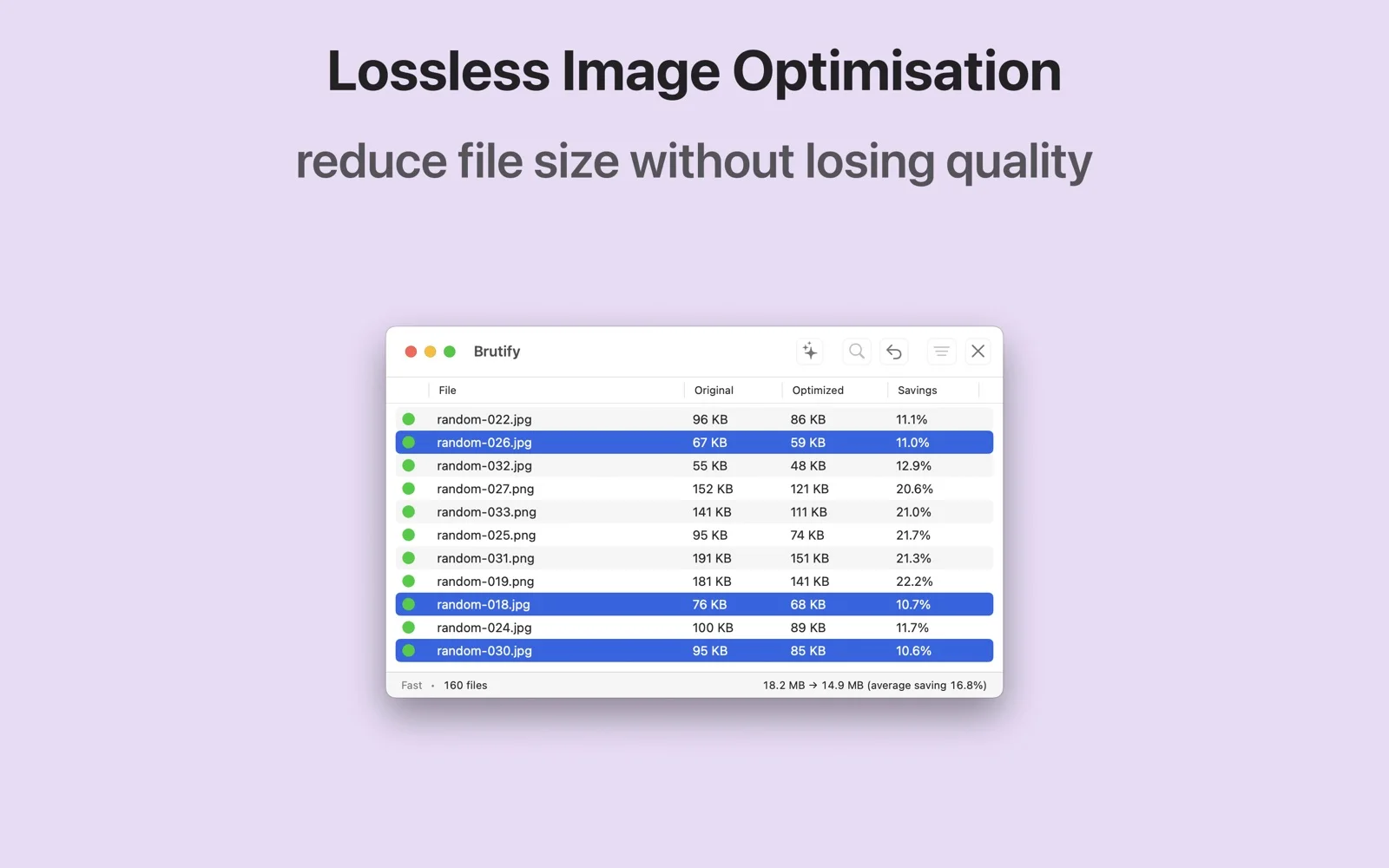
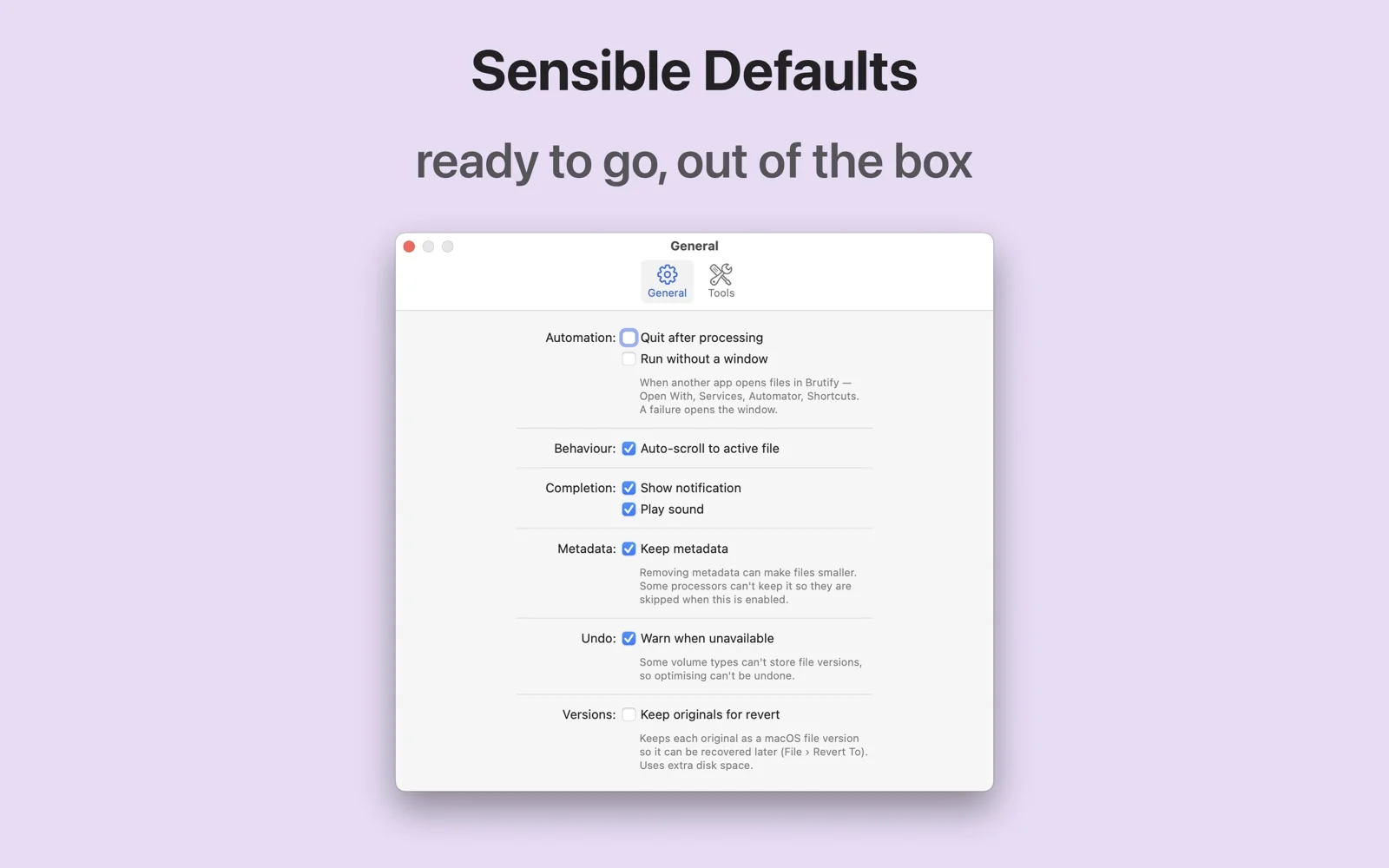
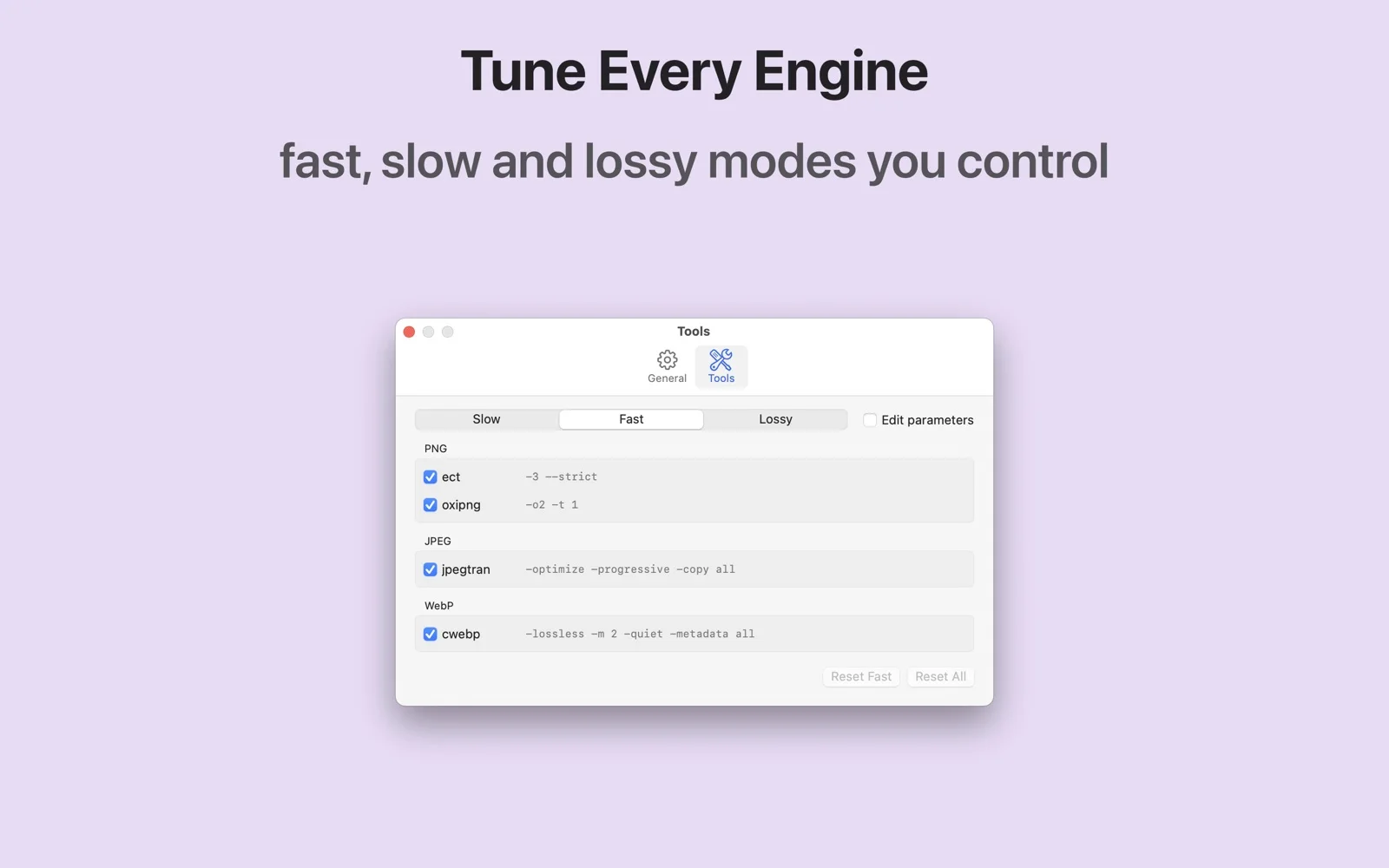
Mac screenshots from the Brutify Mac App Store listing (https://apps.apple.com/app/id6737859982), seller Matt Sephton. More on our Brutify deal page.
Feature check
| Feature | Brutify | ImageOptim |
|---|---|---|
| Formats | JPEG, PNG and WebP, whole folders included; GIF if you add an extra engine. | JPEG, PNG, GIF and SVG. |
| Metadata | Kept by default, file dates included; you can turn that off. | Removed by default for privacy; you can choose to keep it. |
| Modes | Fast and Slow are fully lossless; Lossy trades quality for size. Each engine can be tuned per mode. | Lossless by default, with optional lossy minification. |
| Undo | Revert any file to its original with one click. | Not described on its site. |
| Ways to run it | Drag and drop, Finder right-click, Services and the command line. | Window, Dock icon, Services, command line and Sketch. |
| Requirements | macOS 12 or later. | macOS 11 or later, with an older build for 10.10. |
Privacy
Both apps work offline on your Mac. Brutify’s maker says it gathers no personal data. ImageOptim’s source code is public, so anyone can check what it does.
Where ImageOptim wins
- It is free, and its source is open.
- It also handles SVG and animated GIF out of the box.
- Stripping location and camera details before you publish is its default, which protects privacy on the web.
Which one to pick
- Brutify suits photographers who want smaller files while their EXIF, colour profiles and dates stay exactly as they were.
- Brutify also suits game and app developers who squeeze textures and assets in batches and want each engine’s settings in plain view.
- ImageOptim suits bloggers and web teams who want free, anonymous images ready to upload.
Our take: if a file’s metadata matters to you, Brutify is the safer tool, and the sale makes it a five-dollar decision. If it doesn’t, ImageOptim is hard to beat at $0.
Brutify is $4.99 until December 1
No code needed; the price shows on Apple’s store page. We earn nothing from this link.
Sources and notes, checked Nov 23, 2026
- Brutify on the Mac App Store: official listing, $4.99, version 1.1, macOS 12 or later. The maker confirmed the $9.99 regular price and the November 21 to December 1 sale for our listing.
- Brutify official page: parallel engines, Fast, Slow and Lossy modes, metadata kept, undo, Finder and command-line use, optional extra engines in the unsandboxed build.
- ImageOptim official page: free and open source, macOS 11 or later, metadata removed by default, lossy option, bundled tools such as MozJPEG, pngquant and Zopfli.
- We did not run our own compression tests, so we make no claim about which app produces smaller files.