Backdrop vs macOS wallpapers
At a glance

Backdrop lifetime, through Cyber Monday
Best forPeople who want moving, community-made desktop scenes and prefer a pay-once license on up to three Macs
macOS wallpapers
Best forPeople who are happy with a still image or a Dynamic Desktop and do not want another wallpaper app
Quick verdict
Backdrop is the live-scene app, with a $20.99 lifetime key through Cyber Monday, or $14.99 a year.
macOS wallpapers are already on the Mac and cost nothing extra.
Both figures come from the price table below. A one-time license is paid once, so its 3-year cost stays the same unless you buy an upgrade.
Backdrop is a Cindori app that puts live, community-made scenes on a Mac desktop. Its store on Nov 28, 2026 priced a monthly plan at $1.99, a yearly plan at $14.99, and a lifetime license at $20.99, marked down from $29.99, with that 30% off ending Cyber Monday. Lifetime covers up to three Macs. The app is free to download and try. macOS already lets you pick a still image or a time-shifting system picture from System Settings, and you do not buy a licence for that.
Both buttons open Cindori pages. Neither carries a referral parameter.
Backdrop plans next to a system desktop picture
| Plan | What you get | Year 1 | 3 years |
|---|---|---|---|
| Backdrop monthly | All backdrops, no watermark, cancel any time. $1.99 per month. | $23.88 | $71.64 |
| Backdrop yearly | The same access, billed $14.99 per year. | $14.99 | $44.97 |
| Backdrop lifetime, through Cyber Monday | One-time purchase, usually $29.99, now $20.99, 30% off ending Cyber Monday. Up to three Macs, future updates included. | $20.99 once | $20.99 |
| macOS wallpapers | The still images and day-night system pictures that arrive with the Mac, changed in System Settings. | $0 | $0 |
Year-1 and three-year monthly and yearly totals multiply $1.99 × 12 and × 36, and $14.99 × 3. They assume those rates stay unchanged.
A look inside Backdrop
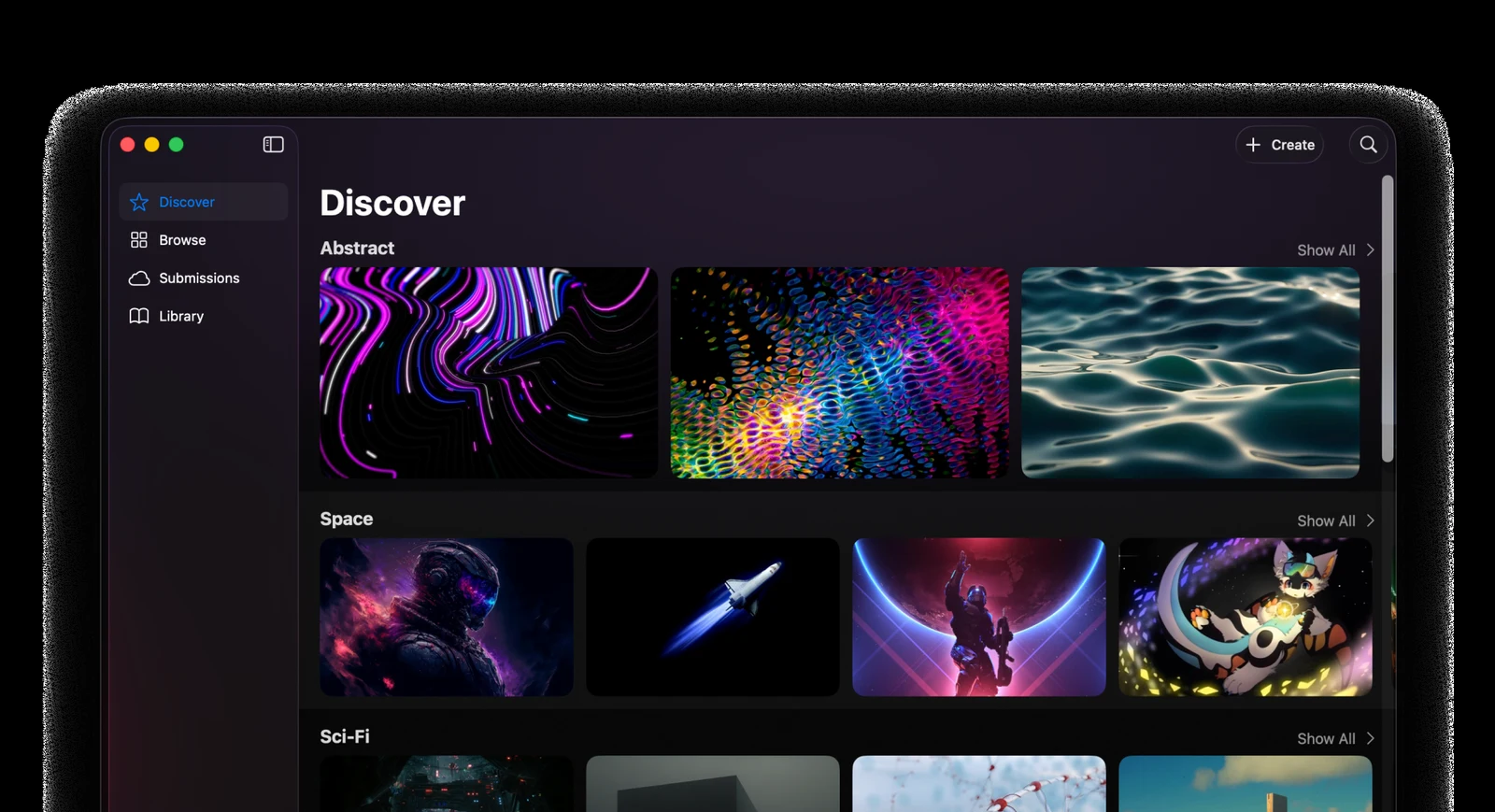
App screenshots from cindori.com. More on our Backdrop deal page.
Live scenes versus a still (or dynamic) desktop picture
| Topic | Backdrop | macOS wallpapers |
|---|---|---|
| Motion | Live wallpapers, including scenes from a community library, with a watermark removed after you pay. | Still images, plus Apple’s day-night pictures that shift through the day, without a third-party motion engine. |
| Trying it | Free to download and try, then a subscription or the lifetime key. | Already on the Mac. |
| Devices | Lifetime unlocks everything on up to three Macs, per the store FAQ. | Each Mac has its own System Settings; there is no Backdrop-style license to move. |
When the system desktop picture is enough
If a still image, a day-night system picture, or a photo from your own library is enough, the Mac already does that. Backdrop is for people who want moving, community-made scenes and will pay a subscription or a lifetime key to drop the watermark and keep those scenes.
Who should pick which
- Choose Backdrop if live community scenes are the point, and the $20.99 lifetime key through Cyber Monday looks like the simpler outlay.
- Keep the system wallpaper if a built-in desktop picture is all you need.
See Backdrop’s Cyber Monday lifetime key
The 30% lifetime markdown ends Cyber Monday, per Cindori’s store.
Backdrop and macOS wallpaper sources, November 28, 2026
- cindori.com/backdrop: free to download and try; $1.99/month, $14.99/year, or $29.99 lifetime (US prices, pointing at the store).
- cindori.com/store/backdrop: monthly $1.99; yearly $14.99; lifetime $20.99, struck through $29.99, “30% off · ends Cyber Monday”; lifetime covers up to 3 Macs and future updates; FAQ on switching from a subscription by buying lifetime at $20.99 and canceling renewal.
- Apple’s wallpaper troubleshooting article support.apple.com/102610 and Mac help on desktop settings confirm that changing a desktop picture is a system task. No separate Apple price is listed, so the built-in row is $0.
- Wallpaper Engine’s product site and Steam page ($4.99, Windows 10/11) do not offer a Mac app, so this page uses macOS wallpapers instead.