At a glance

2UP, Black Friday
Best forFinder fans who want two panes, keyboard speed and built-in image, PDF and video tools for files on their own drives
ForkLift 4 Single user
Best forDevelopers and admins who copy files between servers, S3 buckets and cloud drives every day
Quick verdict
For files on your Mac and external drives, 2UP gives you a Finder you already know in two panes, plus media tools ForkLift lacks.
ForkLift is worth the extra money when SFTP, S3 or two-way sync are part of your week.
Both figures come from the price table below. A one-time licence is paid once, so its 3-year cost stays the same unless you buy an upgrade.
2UP turns two Finder windows into one app: a pair of side-by-side panes that look and behave like Finder, driven from the keyboard, with image, PDF and media tools built in. ForkLift 4 is the veteran dual-pane manager that also connects to servers and cloud storage. If your files live on your own Mac and drives, 2UP does the job for $7.99 this week. If you move files to SFTP servers, S3 buckets or Google Drive every day, ForkLift earns its higher price.
2UP on the Mac App Store ↗ ForkLift 4 ↗
Plain links to Apple’s store and to Binarynights. Neither link earns us anything.
Price over one and three years
| Licence | What you get | Year 1 | 3 years |
|---|---|---|---|
| 2UP, Black Friday | The full app as a one-time store purchase; the sale runs November 21 to December 1. | $7.99 once | $7.99 |
| 2UP | The same app at its regular store price. | $14.99 once | $14.99 |
| ForkLift 4 Single user | Use on your Mac for good, with one year of updates. | $19.95 once | $19.95 |
| ForkLift 4 Single user, 2 years | Use for good, with two years of updates. | $34.95 once | $34.95 |
Prices read Nov 23, 2026 from the US Mac App Store (2UP, id 6790582006) and binarynights.com/store.
Worked example
Priya copies a wedding shoot off a card and needs proofs for the couple tonight
She wants the card on one side, the client folder on the other, a batch rename, smaller JPEGs and a contact sheet, all without opening three extra apps.
In 2UP
The card and the client folder sit next to each other. She filters to RAW files with a mask, copies them across with one key, renames the batch, then uses the built-in image tools to scale copies and build a contact sheet. If she drags the wrong folder, Undo puts it back.
In ForkLift
The copy and the batch rename are just as quick, and ForkLift could upload the proofs straight to an SFTP server or Google Drive. Resizing and contact sheets would need another app.
What Priya pays: $7.99 for 2UP during the sale, against $19.95 for ForkLift with a year of updates.
A look inside 2UP
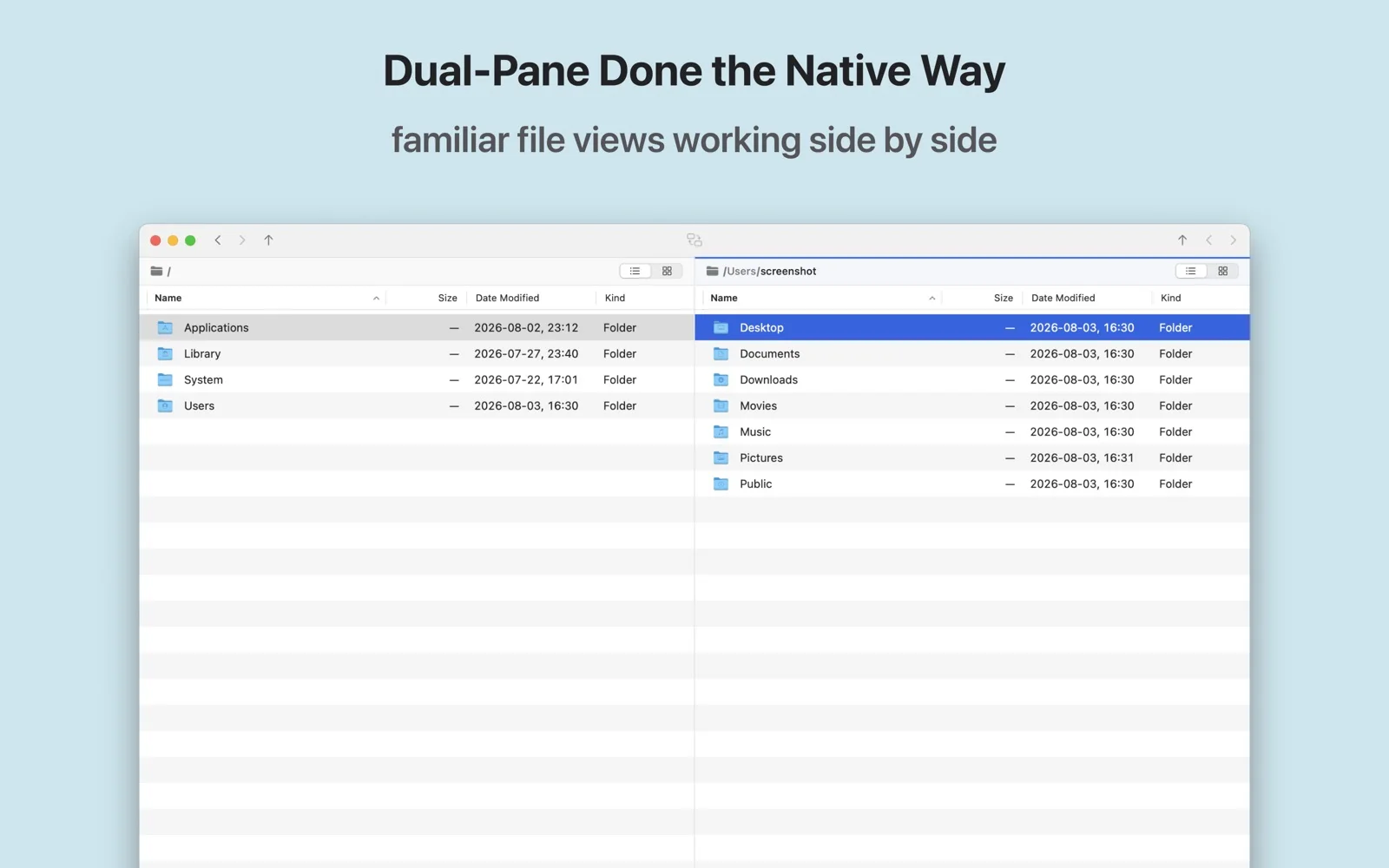
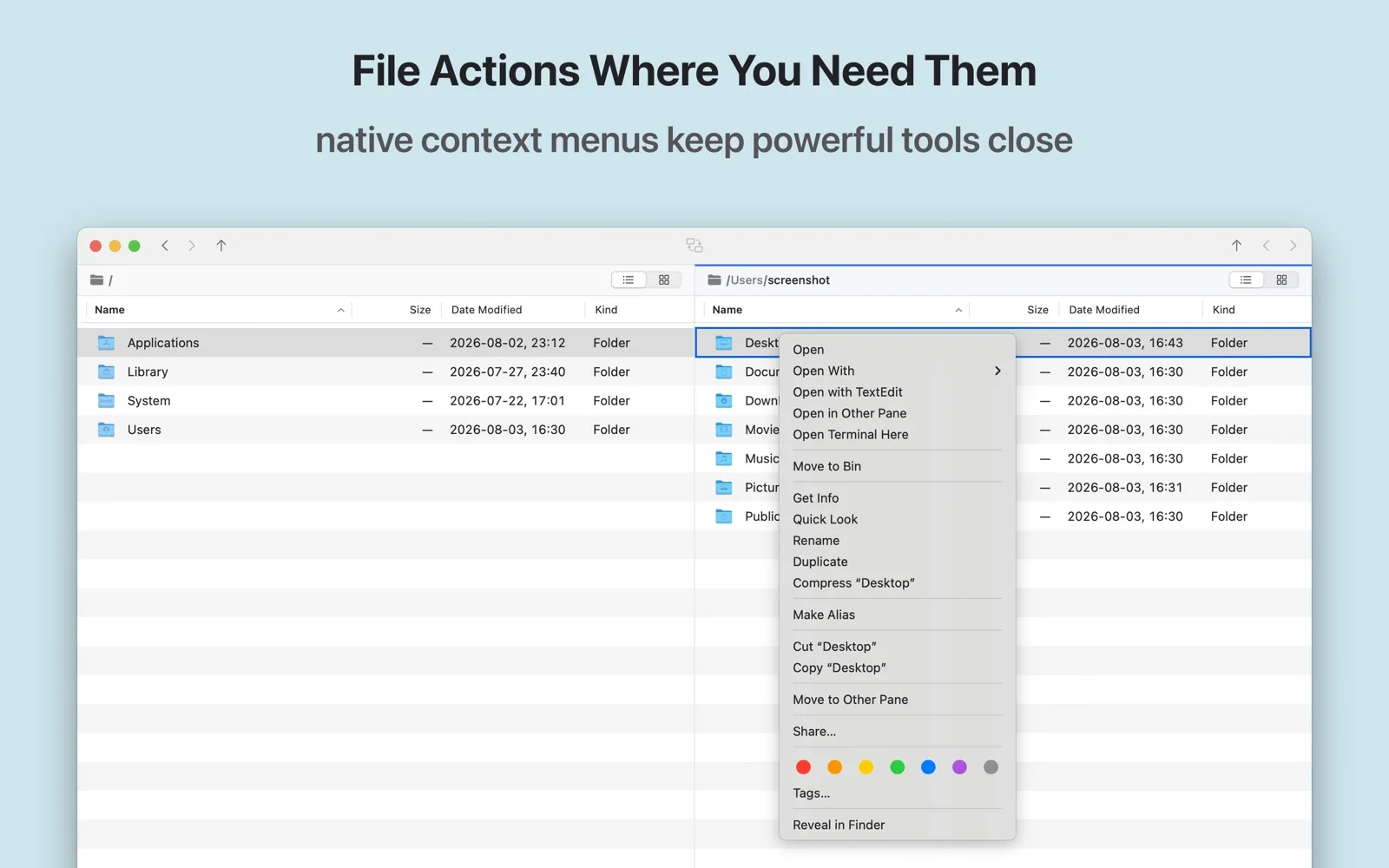
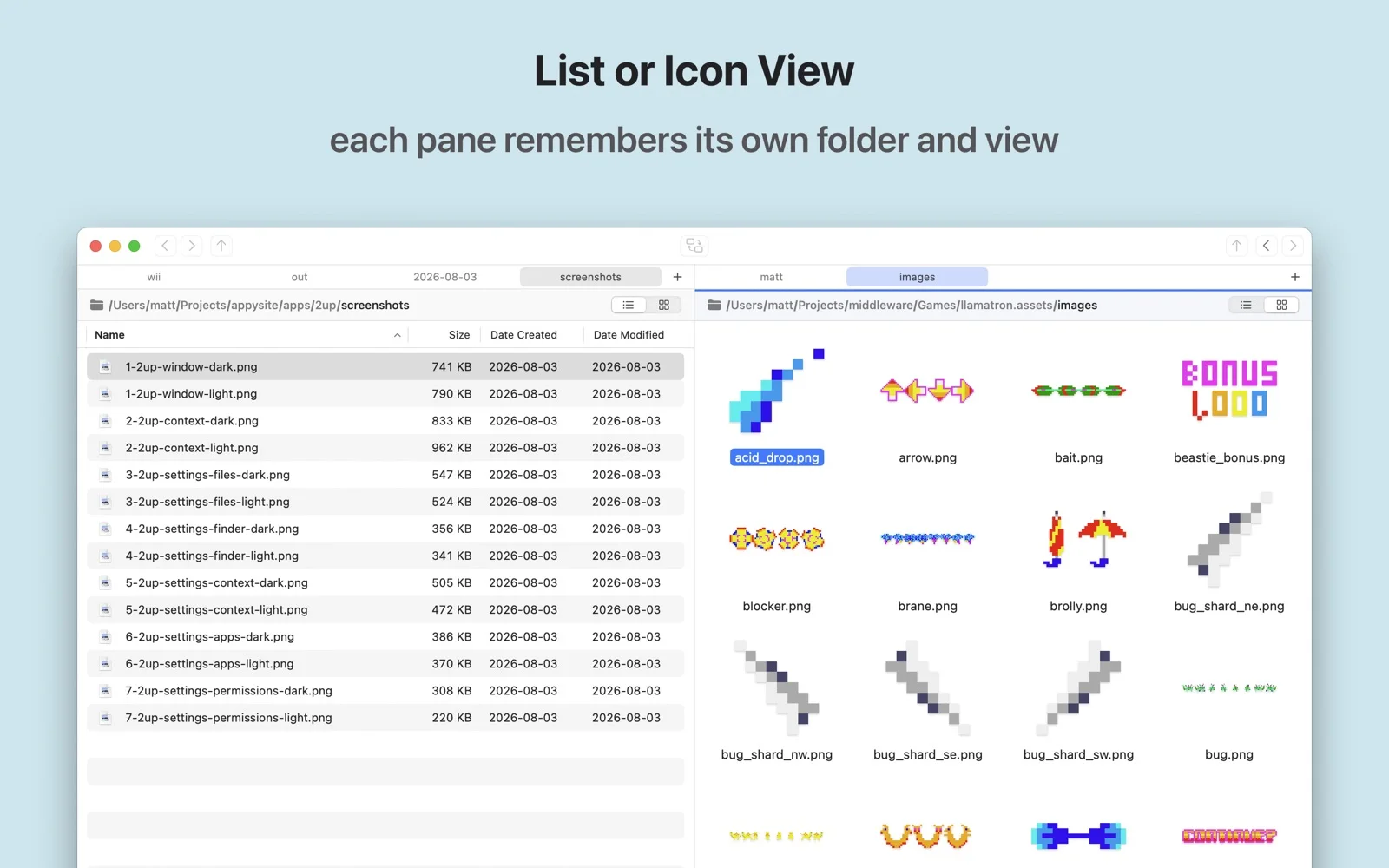
Mac screenshots from the 2UP Mac App Store listing (https://apps.apple.com/app/id6790582006), seller Matt Sephton. More on our 2UP deal page.
Side by side
| Area | 2UP | ForkLift 4 |
|---|---|---|
| Look and feel | Looks like Finder: icon or list view, Space-bar previews, tags and Get Info, with tabs per pane if you want them. | Its own dual-pane interface with themes, tabs and saved workspaces. |
| Keyboard | Keyboard-first, with a fuzzy Quick Palette for commands, bookmarks and folder history. | Every operation can run from the keyboard, plus Quick Open for favourites and commands. |
| Remote storage | Mounts SMB, AFP, NFS, FTP and WebDAV shares through macOS. | Connects directly to SFTP, FTP, WebDAV, S3, Backblaze B2, Google Drive, OneDrive, Dropbox and more. |
| Built-in extras | Image conversion, scaling, contact sheets, GIF frames, audio and video conversion, PDF merge and split, text recognition. | Folder sync, multi-rename presets, Git status, an app deleter and remote editing. |
| Safety | Undo and redo for file operations, Time Machine restore from the folder menu. | An activity view and log of every task. |
| Requirements | macOS 14 Sonoma or later. | macOS 14.6 or later for version 4.4. |
Privacy
2UP has no accounts, ads or analytics, according to its maker. ForkLift handles your server and cloud passwords itself, so read its privacy page if you plan to store many logins in it.
When ForkLift is the better buy
- You work on remote servers or cloud buckets and want to drag files between them directly.
- You need two-way folder sync or Git status inside the file manager.
- You want a free trial before paying, which the Mac App Store version of 2UP does not offer.
Our pick
- 2UP suits Mac users who already think in Finder and want a second pane, fast keyboard moves and media chores in the same window.
- 2UP also suits photographers and video editors who resize, convert and rename batches straight after an import.
- ForkLift suits web developers and admins who spend their day on SFTP, S3 and cloud drives.
Our take: for local files, 2UP feels like Finder with superpowers and costs less than half of ForkLift this week. Pay for ForkLift once remote servers enter the picture.
Get 2UP for $7.99
The sale price shows on the store page until December 1. There is no affiliate link here.
Sources and notes, checked Nov 23, 2026
- 2UP on the Mac App Store: official listing, $7.99, version 2.0 released November 19, 2026, macOS 14 or later. The maker confirmed the $14.99 regular price and the November 21 to December 1 sale for our listing.
- 2UP official page: Finder-style panes, Quick Palette, Connect to Server, media and PDF tools, undo, Time Machine restore.
- ForkLift 4 store: official prices. Single user $19.95 with one year of updates or $34.95 with two; Family $29.95 or $49.95; Small Business $69.95 or $119.95. After the update period you keep the last covered version; newer updates need a new licence.
- ForkLift 4 official site and manual: remote connections, sync, Git support, themes, macOS 14.6 requirement.
- Three-year figures assume you stay on the version you bought. We did not run either app.